
Your identity.
Your devices.
Your control.
For business introductions, family contacts, adult social introductions and accessibility support. Share the right profile through compatible NFC devices, with control over what becomes public.
Android APK + web app for Android and iPhone.
Internet required. Device compatibility varies.
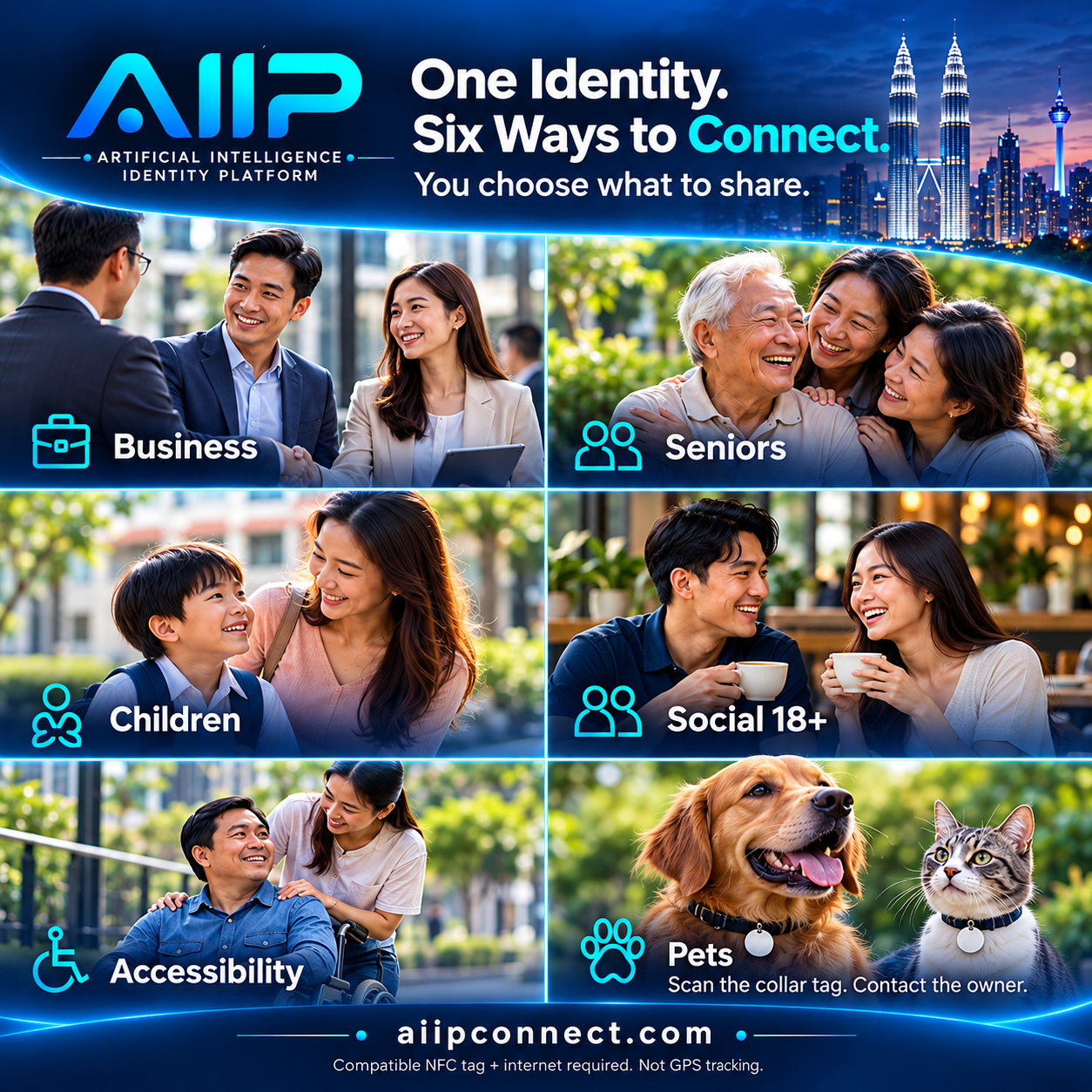 Six profile purposes · 五种资料用途 · Illustrative hardware
One platform. Five everyday purposes.

商务交流、长者联系、儿童家属联系、成人交友择偶、辅助沟通与支持、宠物联系。
Make your next introduction.
Share your professional profile, company, role and project links through a compatible NFC ring, bracelet, card or sticker.
轻触分享个人名片、公司职位与项目介绍。
Help someone reach family.
The person or an authorized helper manages the profile. Visitors can call or WhatsApp the emergency contacts you choose to publish.
由获授权家属管理资料,方便热心人士联系已公开的紧急联系人。
Keep a parent within reach.
A parent manages the child’s contact profile. No company, job title or child email needed.
家长管理孩子的联系资料;孩子无需自己的邮箱。
Get to know each other.
Share your own introduction, interests and relationship goals. Choose which optional details another person can see.
先了解彼此,再决定是否继续认识;仅限本人18岁以上使用。
 ACCESSIBILITY & SUPPORT · 辅助沟通与支持
Be understood, on your terms.
Share the communication method, support needs and contacts you choose. A centre affiliation and living arrangement are separate optional fields.
适合听力、言语、行动或理解方面需要协助的人士。本人可自行管理,或交由获授权者协助;照片可不放,中心与居住安排可分别隐藏。
You decide what becomes public. / 公开什么,由你决定。
Emergency fields start Private. Select the contact details to publish, confirm public sharing and enable them for the device. Test the public page on another phone before use. Do not publish full home addresses, schools or identity documents. Health and support notes are optional, Private by default, and require explicit consent before publication.
紧急联系资料默认不公开。请先设置公开联系人并用另一部手机测试。需要联网;AIIP 不提供 GPS 定位、自动报警或紧急救援监控。
Internet required. AIIP does not provide GPS tracking, automatic alerts or emergency monitoring.
A tap becomes an introduction.
Meet Jaams Goh
A personal introduction, professional background and project links—all accessible from one public profile.
Visitors can view a public profile in their browser without installing AIIP. They do not need an account just to read it.

Start with three simple steps.
Create your profile
Choose Business, Senior, Child, Social & Dating (18+), Accessibility & Support or Pet. An adult registers and verifies their email; authorized family members can manage separate wearer profiles.
Set up a compatible device
Create a device record, choose its allowed fields and arrange for its unique public link to be written to a compatible NFC tag.
Tap, share and connect
A compatible phone opens your public page. Signed-in users can save connections and request eligible information.
Available in the release.
Practical identity sharing today, with a wider platform vision ahead.
Your profile
Choose one of six purposes: business, senior, child, adult social, accessibility support or pet contact. Manage independent wearer profiles and their sharing settings. Public profiles can include one replaceable profile photo uploaded from your phone.
Multiple device records
Manage separate links and field permissions for your devices. Disable or revoke individual credentials.
Sharing controls
Choose Public, Consent Required, Trusted Contacts or Private for profile fields.
Connections & consent
Save connections, manage trusted contacts and respond to information requests.
Built for a bigger future.
AI introductions. Proximity experiences. Connected environments.
We are exploring how permission-based identity could support AI assistants, events and other services. BLE/UWB proximity, AI-generated introductions, access control and payments are not available in this release.
Before you begin.
Do visitors need the app?
No. A public profile opens in a browser. Managing an identity, saving connections and handling consent require an AIIP account.
Does it work with every NFC ring or phone?
No. The phone, NFC chip, antenna and tag format must be compatible. We are testing devices; please confirm your hardware before buying.
Is my public profile a verified identity?
No. Profiles are user-provided. A copied profile URL does not authenticate the person carrying a device.
Your next connection starts here.
Create your profile, choose what to share, and explore the release.
Support without unnecessary disclosure.
需要的协助,由本人选择分享。
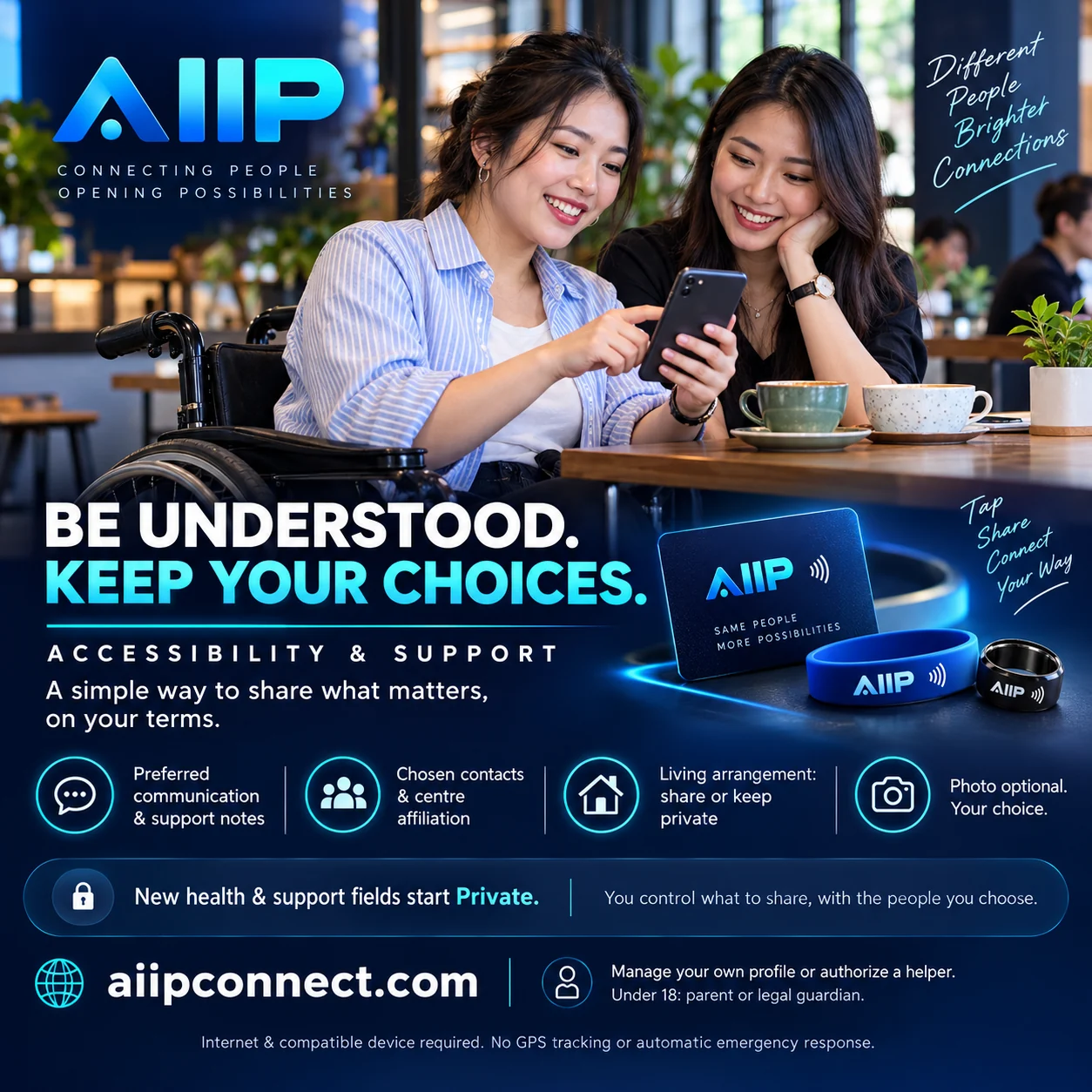
查看中文版介绍图 / View Chinese version
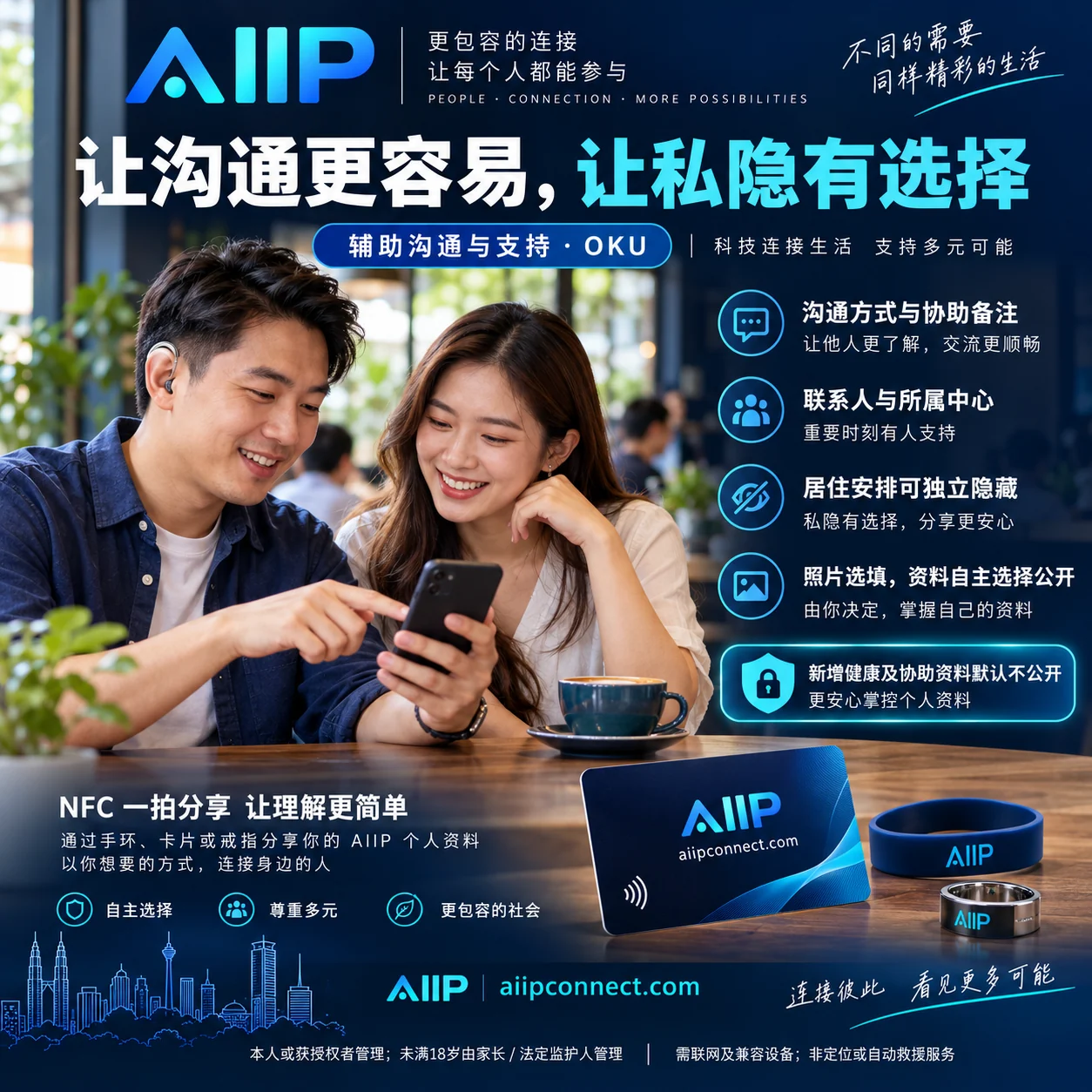
Accessibility & Support / 辅助沟通与支持
Choose this fifth purpose at registration or add an independent profile in Identity. Optional fields include preferred communication, support needs, support notes, primary and backup contacts, affiliated centre, living arrangement and a general area. No business title, company, disability ID or full address is required.
第六种用途适用于残疾人士/OKU 的辅助沟通与支持。可填写沟通方式、协助需要、备注、联系人、所属中心及居住安排。可以选与家人同住、在中心住宿、独立居住、其他或不透露。中心名称不代表住在那里,两个栏位分别控制是否公开;扫描页不会自动贴上 OKU 标签。
All new fields start Private. Each field has its own sharing policy and device permission. Publishing health, support, centre or living information requires an extra explicit confirmation. Anyone with a copied public link can read published information; saved copies cannot be recalled.
Senior health notes / 长者健康备注
Optional health conditions, known allergies, preferred communication, personal or family support notes, an existing clinician-provided plan and a review date. These are self-reported, not verified medical advice; AIIP does not generate treatment instructions.
可自愿记录健康状况、过敏及家属协助备注,方便他人了解与联系。已有专业医护指示可另行记录,请定期确认资料。
Photos are optional / 照片选填
Use a profile without a photo. Upload, replace or remove one photo per profile from the Android app or PWA. New uploads start Private and are stored outside public WordPress Media. The account holder controls photo publication separately. A parent or legal guardian must authorize photos for anyone under 18.
未满18岁的资料及照片由家长/法定监护人管理。新照片默认不公开;旧公开媒体文件需管理员另外处理。
Ask the person first / 先尊重本人意愿
People can manage their own support profiles. Helpers must have permission, and parents or legal guardians manage under-18 profiles. Authority is self-declared, not legally verified. Ask how the person wants to be helped.
这不是 GPS、自动报警或救援监控服务。紧急情况联系当地紧急服务,不要因查看此页而延误求助。
SIX PURPOSES · 六种用途
Business. Family. Connections. Pets.
商务、家人、交友、辅助沟通与宠物。

NEW · PET CONTACT / 新增宠物联系
A collar tag. A way to reach you.
扫描项圈标签,让发现宠物的人联系你。
Choose Pet when registering, or add a separate pet profile to your existing account. Add an optional photo, pet name, species, breed, sex, age, colour, identifying features, home/lost/reunited status, owner and backup contacts, a general or last-seen area, approach/care notes and an optional vet contact.
注册时选择宠物,或在现有账号内添加独立宠物资料。可填照片、名字、种类、品种、性别、年龄、毛色、辨认特征、在家/走失/已寻回状态、主人与备用联系人、所在或走失地区、接近与照顾注意事项、兽医电话。
Set up: save the details you choose as Public, confirm sharing and enable those fields for the pet’s device. Create a separate device link, write it to a compatible NFC collar tag using a tag-writing tool, then test it with another phone. A finder can view the published profile in a browser and use a shared phone number to contact you. Use a number beginning with + and country code for the WhatsApp shortcut.
设置:资料默认 Private。选择要公开的联系人,确认公开,并在宠物设备权限中允许显示。建立独立设备链接,用写卡工具写入兼容的 NFC 项圈标签,再用另一部手机扫描测试。发现者无需注册或安装 App,即可在浏览器查看已公开资料,并致电或 WhatsApp 主人(号码请使用 + 国家代码)。
Requires a compatible NFC tag and phone plus internet. Not GPS tracking, automatic alerts, emergency monitoring or a guarantee of recovery. Avoid full home addresses and identity documents; arrange a safe handover with the finder. NFC stickers may need a protective, secure holder suitable for the collar.
需要兼容的 NFC 标签、手机及网络。不是 GPS 定位,不会自动报警,也不保证寻回。请勿公开完整住址或身份证件;与发现者约定安全交接地点。项圈贴纸应配合牢固、适合户外使用的保护套。